

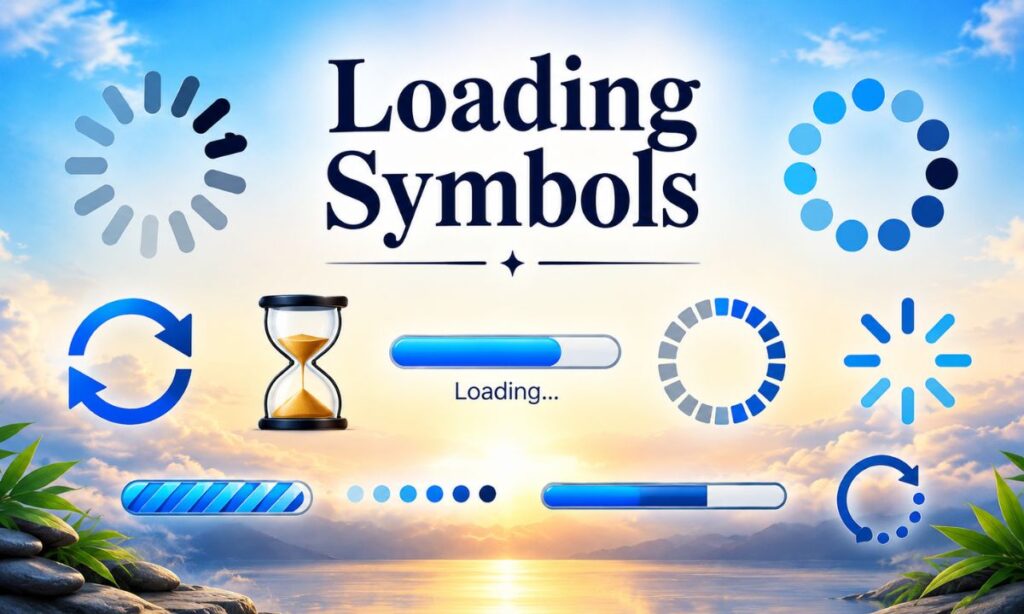
Loading symbols are ready made Unicode characters and text based icons like ⏳ ▓▓▓░░░ and ◐◓◑◒ that you can copy and paste anywhere to show progress, buffering, or a “please wait” style status without needing any image or animation file. They work because Unicode, the international text standard every phone and computer already supports, includes hundreds of symbols originally meant for math, technical writing, and box drawing that people have repurposed as visual loading indicators.
If you have ever seen a Discord status that reads “▰▰▰▰▱▱▱▱ 50% online” or an Instagram bio with a little spinning hourglass next to someone’s name, you already know what this article is about. These aren’t GIFs or emojis rendered by an app. They’re plain text characters, which means they paste cleanly into a username, a bio, a caption, or a chat message and still look the same on almost every device.
This guide walks through what loading symbols actually are, how to use them step by step, and where they work best, from Discord status lines and gaming usernames to Instagram bio, TikTok captions, and WhatsApp status updates. You’ll also get a breakdown of the different types available, some practical tips, and answers to the most common questions people search for about this trend.
Quick fact: Unicode 16.0, the current version maintained by the Unicode Consortium, defines more than 149,000 characters, and a meaningful portion of the “Miscellaneous Symbols” and “Geometric Shapes” blocks are what people now use as loading symbols.
Quick fact: The hourglass symbol (⏳) and its animated cousin (⌛) both come from the Unicode block called “Miscellaneous Symbols,” first introduced in the 1990s long before smartphones existed.
What Are Loading Symbols?
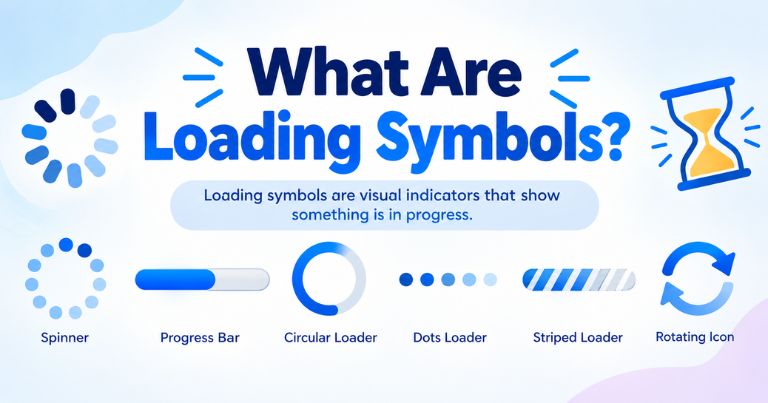
Loading symbols are text characters that visually mimic the appearance of a loading bar, spinning loader, or progress indicator, and you copy and paste them the same way you would copy any word or sentence.
They fall into a broader category called Unicode symbols, which is just a giant shared library of characters that every operating system agrees to render consistently. Because a hourglass symbol, a block character, or a circle segment is technically just a letter in this shared library, it behaves exactly like typing the letter A. You can put it in a text message, a spreadsheet cell, a social media bio, or a game username, and it will show up without needing an app, a plugin, or an internet connection to load an image.
What makes loading symbols different from a regular emoji is that most of them are static. A real emoji like 🔄 might be built with subtle motion in certain apps, but most text progress bars and spinning loaders used online are frozen snapshots of a loading state. People select several of them and cycle through them manually, or they pick one filled bar like ▓▓▓░░░ to suggest a task that’s “in progress” without it ever actually moving. This is sometimes called a fake loading screen effect, and it’s popular precisely because it looks technical and intentional without requiring any coding.
There’s also a practical side to this beyond aesthetics. Developers and writers sometimes use these same characters in terminal output, documentation, or command line tools to represent loading status or completion indicators in plain text logs, since a log file can’t display an animated GIF. So while most people discover loading symbols through social media, the underlying characters have real technical roots in software and computing.
How to Use Loading Symbols (Step-by-Step)
Using loading symbols takes three simple steps: pick a style, tap to copy it, then paste it wherever you want it to appear.
Because these are plain Unicode characters, there’s no software installation and no special formatting required. The process is the same whether you’re on an iPhone, an Android phone, or a desktop browser. Below is a simple breakdown of how the whole thing works from start to finish.
| Step | What You Do | Time It Takes |
|---|---|---|
| 1 | Choose your loading style from a collection | 5 to 10 seconds |
| 2 | Tap or click to copy it to your clipboard | 1 second |
| 3 | Paste it into your bio, chat, or username field | 2 seconds |
Step 1: Choose Your Loading Style
Start by deciding what mood or aesthetic you’re going for, since loading symbols come in a few distinct visual families.
Some people want something minimal, like a single hourglass (⏳) sitting quietly next to their name. Others want a full block progress bar that stretches across their bio, something like ▰▰▰▰▰▱▱▱▱▱ 50%. There are also circular spinner styles built from rotating segment characters (◐ ◓ ◑ ◒), and there are percentage-based styles that pair a bar with an actual number, like “Loading… 74%”. Browsing a symbol collection first helps you compare a few options side by side instead of settling on the first one you see.
It also helps to think about where the symbol is going. A Discord status has more room than a Twitter X bio, so a longer bar with a percentage might fit one platform better than another. Matching the symbol length to the platform prevents it from getting cut off or wrapping awkwardly.
Step 2: Tap to Copy
Once you’ve picked a style, copying it works exactly like copying any other text.
On mobile, you press and hold the symbol until a copy option appears, or you tap a dedicated copy button if you’re using a symbol picker site or app. On desktop, you can highlight the character with your mouse and use Ctrl+C on Windows or Cmd+C on Mac. Most collections of these symbols include a one-tap copy to clipboard button specifically so people don’t have to manually highlight tiny characters, which can be fiddly on a small phone screen.
One thing worth knowing is that some loading symbols are actually made of several characters combined, like a bracket, several block characters, and a percentage sign. When you copy these, make sure the entire string gets selected together, otherwise you might paste an incomplete bar with a missing bracket or number.
Step 3: Paste Anywhere
After copying, paste the symbol into whatever field you’re editing, whether that’s a bio, a username, a caption, or a chat box.
Pasting is done the same way you’d paste any text: long press and select paste on mobile, or Ctrl+V and Cmd+V on desktop. Because these are standard Unicode characters and not app-specific stickers, they carry over correctly between different platforms. You can copy a loading bar from a symbol site on your phone and paste it into a desktop app without losing any part of it.
A small but important detail is that font rendering does vary slightly between devices. A loading bar built from block characters generally looks nearly identical everywhere, but a fancier stylized character might render as a blank box on an older device that doesn’t support that particular Unicode block yet. Testing the symbol on the actual platform you plan to use it on is a smart habit before committing to it as your permanent username or bio decoration.
Best Loading Symbols for Discord Status
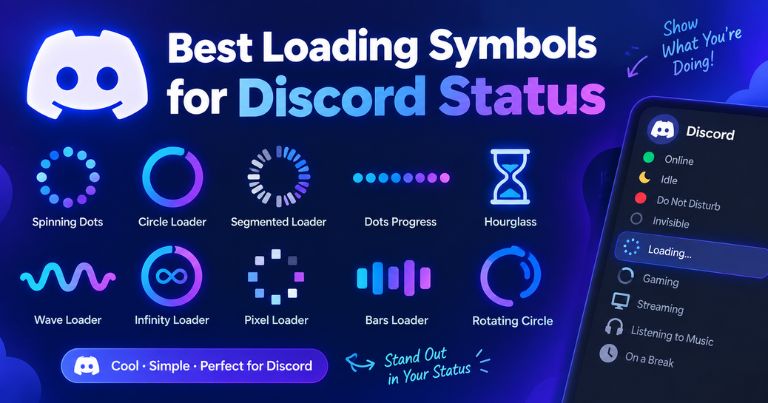
The best loading symbols for a Discord status are short block bars or a single spinner character, since Discord status text has limited space and gets read quickly by other users scrolling a member list.
Discord culture leans heavily into tech and gaming aesthetics, so Discord server names, Discord channel names, and personal statuses often use loading style text to signal something playful, like “status: loading friends…” or a bar that reads “▰▰▰▱▱▱▱▱▱▱ compiling thoughts.” This taps into a shared joke among gamers and developers where human behavior gets described using programming or system language.
A few Discord-friendly combinations that tend to render cleanly across both desktop and mobile Discord clients include a short hourglass plus text (“⏳ afk”), a compact block bar (“▓▓▓░░░ 60%”), and a simple bracketed percentage (“[███░░] loading mood”). Keeping the character count low matters here, since Discord truncates long custom statuses on smaller screens, cutting off the exact detail you wanted people to see.
It’s also worth noting that Discord supports a genuine animated status feature separately from custom text, so some users combine an actual Discord activity status with a text based loading bar for extra effect. That combination, a real system indicator paired with a stylized text bar, is a subtle way to make a profile look more “alive” without needing any bot or third party app.
Loading Symbols for Gaming Usernames
Loading symbols work well in gaming usernames because platforms like Roblox usernames, Fortnite display names, and Steam profile names often have character limits that reward short, symbol-dense names over long descriptive ones.
A username like “xLoadingx” combined with a small bar or hourglass stands out in a lobby full of plain text names, and it signals a certain aesthetic sensibility that’s common in competitive gaming communities. Since most gaming platforms sanitize input to standard Unicode ranges for security reasons, the safest loading symbols to use in usernames tend to be the simpler block and geometric shapes rather than obscure or decorative Unicode ranges, which are more likely to get flagged or stripped by a platform’s filter.
Steam in particular has strict username validation, so testing a symbol in the name field before finalizing anything is worth the extra thirty seconds. A symbol that displays fine in a browser might get silently rejected by Steam’s client, which only accepts a defined subset of Unicode. Fortnite and Roblox have historically been more permissive with stylized characters, though both platforms update their filters periodically, so a symbol that worked last year isn’t guaranteed to work today.
Beyond aesthetics, some competitive gamers use a loading bar username as a form of light psychological framing, implying they’re “still calibrating” or “always improving,” which fits the self-deprecating humor common in gaming chat culture. It’s a small detail, but usernames are one of the first things other players notice, and a loading themed name often gets remembered simply because it reads differently than the usual combination of a word and a number.
Use Loading Symbols on Social Media
Loading symbols show up across nearly every major platform because bios, captions, and status updates are short text fields where a small visual break like a bar or hourglass helps content stand out in a feed full of plain sentences.
Across Instagram bio, Instagram captions, TikTok captions, WhatsApp status, Telegram bio, Twitter X bio, Twitch stream titles, and YouTube titles, the underlying idea stays consistent: a loading symbol implies motion, progress, or a process in the middle of happening, which is a more dynamic visual metaphor than a plain static line of text. This is part of a broader trend in profile customization where people use text art and Unicode characters to add personality to fields that don’t support real images or custom fonts.
There’s also a functional reason loading bars spread so widely on social platforms specifically. Unlike custom fonts or stylized letters, which sometimes render as broken boxes on certain devices, well chosen loading symbols built from common Unicode blocks display consistently on almost every modern phone and browser, which makes them one of the more reliable categories of decorative text you can use in a profile.
Instagram Bio Loading Style
An Instagram bio loading style typically pairs a short bar with a caption like “self improvement ▰▰▰▰▰▱▱▱▱▱ 50%” placed on its own line within the bio’s limited character count.
Instagram bios cap out at 150 characters, so brevity matters more here than almost anywhere else on this list. A single line combining a short phrase and a compact bar tends to perform better visually than a long descriptive sentence, since Instagram bios are read in a glance rather than studied line by line. Many users treat the bio as a small piece of profile customization real estate, updating the percentage periodically to reflect a running joke, a personal goal, or simply to keep the bio feeling current.
Instagram also supports basic line breaks in bios, so pairing a loading bar on its own line under a name or tagline creates a clean visual separation without needing any special app. This layout trick, using a symbol as a visual divider rather than only as a decoration, is one of the more underused techniques compared to just sticking a symbol at the very end of a sentence.
TikTok Captions with Loading
TikTok captions with loading symbols usually frame the video itself as “in progress,” using text like “confidence: ▓▓▓▓▓▓░░░░ 60% and climbing” to match a trend or personal narrative happening in the clip.
Because TikTok’s algorithm and audience respond strongly to relatable, ongoing narratives, a loading bar caption fits naturally into formats like glow up videos, skill progression clips, or day in the life content where the whole point is showing incremental change over time. The bar becomes a visual shorthand for the video’s theme before a viewer even watches a second of footage.
TikTok captions also get cut off after a certain character count in the main feed view, so shorter loading bar formats, especially ones using compact block characters instead of long strings, tend to display fully without a “see more” truncation breaking the visual.
WhatsApp Status Updates
WhatsApp status updates commonly use a loading symbol next to a short phrase, like “⏳ busy adulting” or a small bar showing a mood or availability level to friends and contacts scrolling their status feed.
Unlike Instagram or TikTok, WhatsApp status is seen almost exclusively by people who already have your number saved, which makes the tone here noticeably more casual and personal. A loading bar update often functions like a quick inside joke or a low effort way to signal availability, similar to how people used to set custom away messages on older messaging platforms.
WhatsApp status text also disappears after 24 hours by default, so many people treat their loading symbol updates as a small daily ritual, refreshing the percentage or the phrase to reflect how their day is actually going, whether that’s genuinely playful or just a quick placeholder while they figure out what else to post.
Types of Loading Symbols
There are several distinct families of loading symbols, and knowing the difference helps you pick the right one for the right context instead of grabbing something at random.
Spinning loaders are built from characters that visually suggest rotation, like ◐ ◓ ◑ ◒ or ⣾ ⣽ ⣻ ⢿, and when cycled quickly in sequence they mimic the spinning circle animation common in software loading screens. Block progress bars use filled and empty block characters (▰ and ▱, or █ and ░) arranged in a row to look like a literal progress meter, often paired with a percentage number for extra clarity. Hourglass symbols like ⏳ and ⌛ represent time passing rather than a specific percentage, making them a good fit for vague or open ended waiting, like “still thinking” rather than a measurable task.
There are also percentage indicators, which combine a number with either a bar or a bracket, such as “[75%]” or “loading 75%…” and these work especially well when you want to be specific rather than abstract about how “done” something feels. Finally, there’s a category of purely decorative aesthetic loading symbols, things like ⋆ ˚ ✦ combined loosely with bar shapes, which prioritize visual style over any literal resemblance to a real loading bar. These tend to show up more in bios focused on soft, dreamy, or minimalist aesthetics rather than tech or gaming ones.
| Type | Example | Best For |
|---|---|---|
| Spinning loaders | ◐ ◓ ◑ ◒ | Rotating status, cycling text |
| Block progress bars | ▰▰▰▱▱ 60% | Discord, gaming usernames |
| Hourglass symbols | ⏳ ⌛ | Vague waiting, “brb” style status |
| Percentage indicators | [75%] loading | Precise, clear progress claims |
| Decorative aesthetic symbols | ✦ ⋆ ˚ | Soft, minimalist bios |
Each of these types traces back to a different corner of the Unicode standard, which is part of why they render so differently depending on the device. Block characters are among the oldest and most universally supported, since they date back to early text based computer displays, while some of the more decorative star and sparkle characters were added in later Unicode revisions and can occasionally show up as a blank box on very old hardware.
Where to Use Loading Symbols
Loading symbols work in any text field that accepts standard Unicode input, which covers a surprisingly wide range of everyday digital spaces beyond just social media.
Beyond the platforms already covered, people regularly use these symbols in email signatures to add a subtle bit of personality, in personal website headers, in Notion pages and productivity tools to visually mark task progress, and in group chat nicknames on platforms like Slack or Telegram. Streamers frequently use them in Twitch stream titles to signal something like “[███░░] road to affiliate” so viewers instantly understand the stream’s current milestone without reading a full sentence.
They also show up in YouTube titles and video thumbnails as a stylistic device, particularly for content about self improvement, coding, or productivity, where a visual bar reinforces the video’s theme of tracking progress. Some content creators even build entire recurring formats around a percentage that updates video to video, turning a simple text symbol into a running narrative device across their whole channel.
On the more practical end, developers sometimes paste these same characters directly into code comments or terminal output when they want a lightweight, dependency free way to represent loading status in a command line tool, since building an actual animated spinner requires more code than simply printing a static character. This crossover between casual social media use and genuine software development is one of the more interesting, lesser discussed aspects of why these particular characters became popular in the first place.
Pro Tips for Loading Symbols
A few small habits make the difference between a loading symbol that looks intentional and polished versus one that looks broken or out of place.
First, always preview the symbol on the actual platform and device you plan to use before committing to it long term, since font rendering genuinely does vary between an iPhone, an Android phone, and a desktop browser, and a symbol that looks perfect on one might render as an empty box on another. Second, match the length of the bar to the space available. A ten segment bar looks great in a spacious bio but gets awkwardly wrapped or truncated in a short username field. Third, consider pairing a symbol with a short phrase rather than using it completely alone, since context helps other people understand the intended meaning rather than just seeing a random shape.
It also helps to periodically update percentage based symbols if you’re using them to represent something ongoing, like a goal or a mood, since a bio that’s been stuck at “loading 40%” for six months starts to lose its original charm. Finally, avoid stacking too many different symbol types together in one place. Combining a spinner, a block bar, and a decorative star all in the same short bio tends to look cluttered rather than intentional, so picking one primary style and sticking with it usually reads as more polished.
Table of Contents
- What Are Loading Symbols?
- How to Use Loading Symbols
- Best Loading Symbols for Discord Status
- Loading Symbols for Gaming Usernames
- Use Loading Symbols on Social Media
- Types of Loading Symbols
- Where to Use Loading Symbols
- Pro Tips for Loading Symbols
- Frequently Asked Questions
Why Use CoolSymbol.io for Loading Symbols?
A dedicated copy paste symbols collection saves time by organizing loading symbols into browsable categories instead of making you hunt through random Unicode charts or old forum posts to find the exact character you want.
Sites built specifically for this purpose typically group symbols by type, spinners, bars, hourglasses, and percentage styles, so you can compare options side by side rather than guessing which character code corresponds to which visual. A well built collection also handles the technical part correctly, making sure each symbol is copied as clean, complete Unicode text rather than accidentally including invisible formatting characters that can cause a symbol to look fine on your screen but break when pasted somewhere else.
The other advantage is consistency. Since these platforms test their symbol collections across multiple devices before listing them, you’re less likely to run into the rendering issues that come from grabbing a random character off an unreliable source. For anyone who wants to browse, compare, and copy without friction, using a purpose built collection is simply faster and more reliable than assembling loading bars manually from scratch every time.
Frequently Asked Questions
Are loading symbols animated?
Most loading symbols used in bios and usernames are static text characters, not animated files, though some apps briefly animate certain emoji. The “movement” people associate with them usually comes from manually updating the percentage or symbol over time, not from the character itself moving on screen.
Can I use loading symbols on Discord?
Yes, Discord supports standard Unicode characters in custom statuses, server names, and channel names, so block bars, hourglasses, and spinner characters all display correctly across desktop and mobile Discord clients.
Will loading symbols work in Instagram bio?
Yes, Instagram bios accept standard Unicode text, including block characters, hourglasses, and percentage symbols, as long as the total bio stays within Instagram’s 150 character limit.
How do I copy loading symbols on mobile?
Tap and hold the symbol until a selection or copy option appears, or use a dedicated tap to copy button if you’re using a symbol collection site, then paste it into the target field using the standard paste option on your keyboard.
Can I use loading symbols in gaming usernames?
Many platforms allow it, but Steam, Roblox, and Fortnite each apply their own Unicode filtering rules, so testing a specific symbol in the actual username field before finalizing it is the safest approach.
What does a loading symbol mean?
It’s a visual metaphor suggesting a process is currently happening or incomplete, whether that’s literal software loading, a personal goal in progress, or simply a stylistic choice meant to look technical and intentional.
What is the loading bar symbol called?
There’s no single official name, but common terms include block progress bar, text progress bar, and Unicode progress indicator, all referring to the same idea of using filled and empty block characters to represent completion.
Are these loading symbols free?
Yes, since they’re standard Unicode characters available on every device by default, copying and using them costs nothing and requires no purchase, subscription, or special license.
Why do some loading symbols look different on my device?
Unicode rendering depends on which font your device or app is using, and older devices sometimes lack support for newer Unicode blocks, which can cause certain symbols to display as a blank box instead of the intended character.
Can I combine multiple loading symbols?
Yes, you can combine a bar, a percentage, and a short phrase in the same line, though keeping combinations simple generally looks cleaner than stacking several different symbol styles together in one space.
Do loading symbols affect my Instagram algorithm?
There’s no evidence that specific Unicode characters in a bio directly influence Instagram’s ranking algorithm, since the algorithm primarily weighs engagement signals on posts and reels rather than static bio text.
Are loading symbols safe to use?
Yes, since they’re standard Unicode text characters rather than downloaded files or scripts, there’s no security risk involved in copying and pasting them into a bio, username, or message.
Conclusion
Loading symbols are a small thing, but they make a real difference. They turn a plain bio or username into something that feels alive. You don’t need any app or design skill to use them. Just pick a style, copy it, and paste it anywhere you like. Whether it’s Discord, Instagram, or a gaming username, these symbols fit right in. They’re free, fast, and easy for anyone to try.
With over 220 options to choose from, there’s something for every style. You might like a simple hourglass, or maybe a full block progress bar. Some people prefer a spinning loader, others like a clean percentage number. There’s no wrong choice here, just personal taste. Try a few, see what fits your vibe, and update it whenever you want. Loading symbols are a small detail that can make your profile feel a lot more you.
